English

An AI Agent that actually does your marketing work

An AI Agent that actually does your marketing work

An AI Agent that actually does your marketing work

Stop manually updating spreadsheets, pulling reports, and creating segments. Fast Ads is an AI workspace that handles the repetitive work so you can focus on strategy.

Stop manually updating spreadsheets, pulling reports, and creating segments. Fast Ads is an AI workspace that handles the repetitive work so you can focus on strategy.

Stop manually updating spreadsheets, pulling reports, and creating segments. Fast Ads is an AI workspace that handles the repetitive work so you can focus on strategy.

Marketers waste 10+ hours weekly on repetitive tasks

Marketers waste 10+ hours weekly on repetitive tasks

You know the drill. The same manual work, every single week.

Free

Endless report updates

Pulling data from multiple platforms, copying to spreadsheets, formatting for stakeholders. Every. Single. Week.

⏱️ 3-4 hours/week

Pro

Manual data analysis

Comparing campaigns, finding trends, identifying what's working. Buried in tabs and dashboards.

⏱️ 2-3 hours/week

Team

Audience management

Creating segments, updating lists, syncing across platforms. Repetitive clicks that never end.

⏱️ 2-3 hours/week

See Fast Ads in action

Replace your repetitive marketing tasks with AI-powered automation.

📊 Updated Sheet

👥 Create Segment

📈 Generate Report

Agent: Generating Weekly Performance Report

Thinking…

1

Connect to Meta Ads

Fetching campaign data...

2

Pull Google Ads data

Retrieving performance metrics...

3

Update spreadsheet

Writing to cells...

4

Done!

Sheet is up to date

📊 Updated Sheet

👥 Create Segment

📈 Generate Report

Agent: Generating Weekly Performance Report

Thinking…

1

Connect to Meta Ads

Fetching campaign data...

2

Pull Google Ads data

Retrieving performance metrics...

3

Update spreadsheet

Writing to cells...

4

Done!

Sheet is up to date

Skills

Skills

See what’s possible

Ads Analyze

Performance reports, ad optimization.

Ads Analyze

Performance reports, ad optimization.

Ads Analyze

Performance reports, ad optimization.

Ads Research

Tracking: Competitor and creative tracking.

Ads Research

Tracking: Competitor and creative tracking.

Ads Research

Tracking: Competitor and creative tracking.

Community Trends

Real-time market sentiment & trend insights.

Community Trends

Real-time market sentiment & trend insights.

Community Trends

Real-time market sentiment & trend insights.

Metrics Auto Sync

Auto update my document metrics.

Metrics Auto Sync

Auto update my document metrics.

Metrics Auto Sync

Auto update my document metrics.

[CRM] Target Segment

AI-powered automated target segmentation.

[CRM] Target Segment

AI-powered automated target segmentation.

[CRM] Target Segment

AI-powered automated target segmentation.

[CRM] Create Message

Automated personalized messaging for segments.

[CRM] Create Message

Automated personalized messaging for segments.

[CRM] Create Message

Automated personalized messaging for segments.

Your weekly routine, transformed

Your weekly routine, transformed

AI insights for your and competitors’ campaigns, all in one place.

From hours of manual work to minutes of reviewing results

From hours of manual work to minutes of reviewing results

Before Fast Ads

4 hours pulling ad data manually

4 hours pulling ad data manually

2 hours formatting spreadsheets

2 hours formatting spreadsheets

3 hours building audience segments

3 hours building audience segments

2 hours writing performance reports

2 hours writing performance reports

11+ hours

wasted every week

After Fast Ads

Sheets updated automatically

Sheets updated automatically

Segments created on command

Segments created on command

Reports delivered to inbox

Reports delivered to inbox

You focus on strategy

You focus on strategy

30 mins

to review agent's work

FAQ

FAQ

How do I use an agent?

To draw a Frame, click on Layout in the Toolbar, then select Frame. Now, you can click and drag anywhere on the Canvas.

How do I add images?

To add an image, select any Frame, and either double-click on it, or go to the Fill property. In the Fill property, switch to the image icon. Here, you can upload images.

How do I add videos?

To add a video to your site, click the “Insert” button and navigate to the “Media” section. Then, drag and drop a video component onto the Canvas.

How do I add videos?

To add a video to your site, click the “Insert” button and navigate to the “Media” section. Then, drag and drop a video component onto the Canvas.

How do I add videos?

To add a video to your site, click the “Insert” button and navigate to the “Media” section. Then, drag and drop a video component onto the Canvas.

How do I add videos?

To add a video to your site, click the “Insert” button and navigate to the “Media” section. Then, drag and drop a video component onto the Canvas.

How do I use an agent?

To draw a Frame, click on Layout in the Toolbar, then select Frame. Now, you can click and drag anywhere on the Canvas.

How do I add images?

To add an image, select any Frame, and either double-click on it, or go to the Fill property. In the Fill property, switch to the image icon. Here, you can upload images.

How do I add videos?

To add a video to your site, click the “Insert” button and navigate to the “Media” section. Then, drag and drop a video component onto the Canvas.

How do I add videos?

To add a video to your site, click the “Insert” button and navigate to the “Media” section. Then, drag and drop a video component onto the Canvas.

How do I add videos?

To add a video to your site, click the “Insert” button and navigate to the “Media” section. Then, drag and drop a video component onto the Canvas.

How do I add videos?

To add a video to your site, click the “Insert” button and navigate to the “Media” section. Then, drag and drop a video component onto the Canvas.

Overview

Overview

Overview

Fast Ads is an AI-powered advertising platform designed for efficient campaign management and optimization. It offers features like competitive analysis, automated ad creation, and performance tracking to maximize ad results. By streamlining tasks and enabling quick strategic adjustments, it helps users save time and resources while achieving optimal performance.

Approach

Approach

Approach

Join the waitlist now to be the first to receive news about the Advertising AI beta launch via our newsletter and enjoy exclusive benefits as an early user.
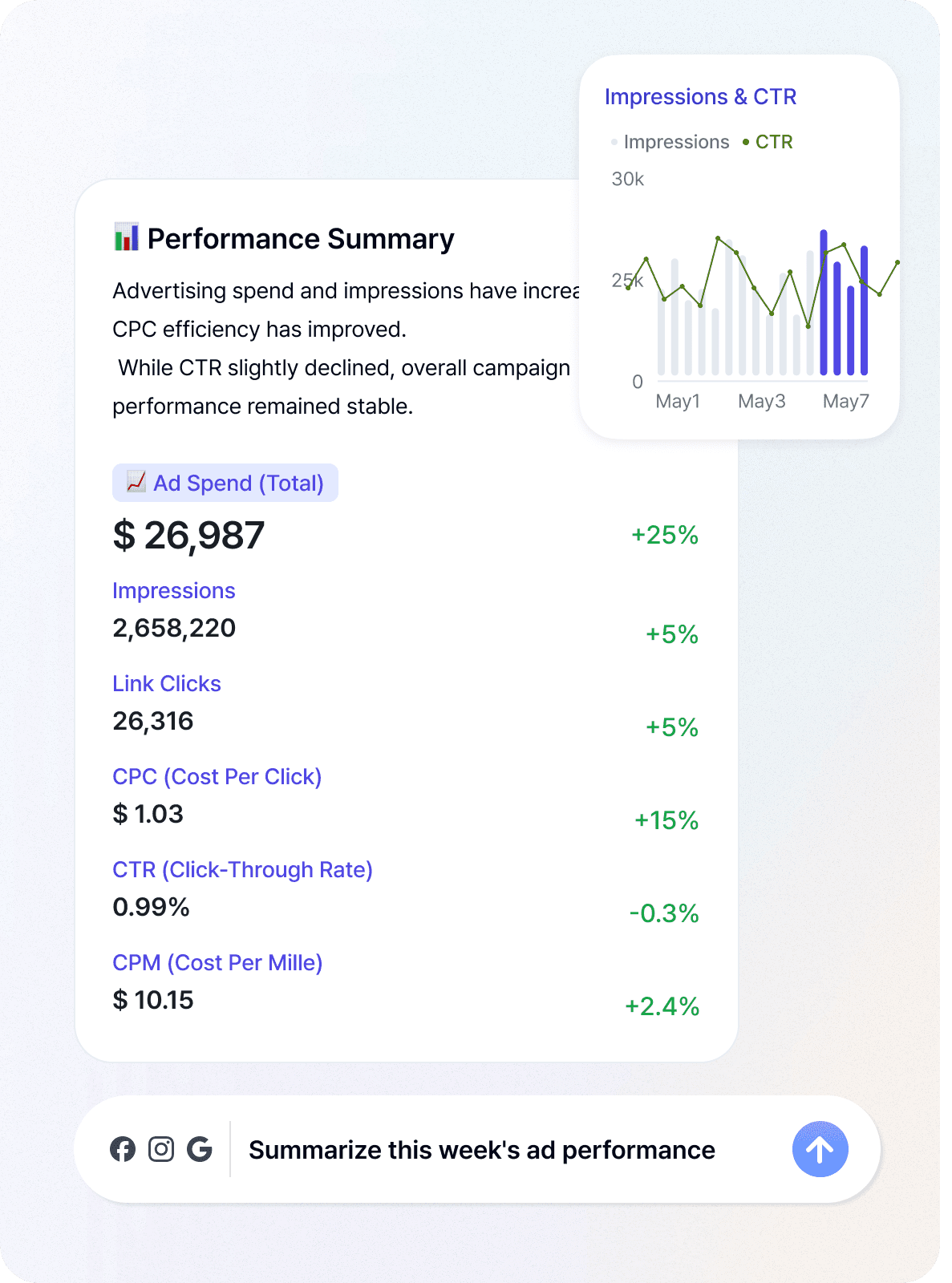
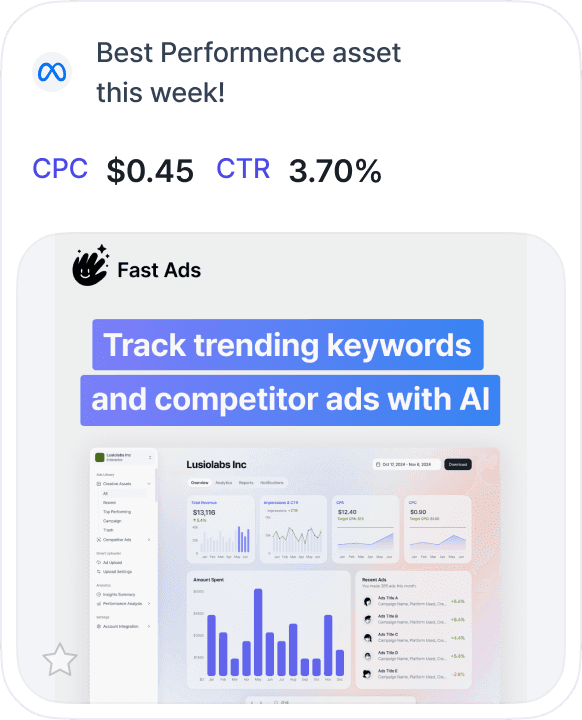
We Can Do

UpdateMarketing Reports

Chat-based
AI marketing
assistant

Your personal AI-marketer-like GPT but for ads.

© Suyo, Inc All rights reserved

key feature

key feature

Save key metrics the way you want–stop repeating the same requests every day.

Stop jumping between platforms

AI analyzes your ads and suggests improvements. See what competitors are doing, too.

Smart AI search

Stop analyzing manually. Fast Ads links and analyzes your ad and conversion data.

From ad to conversion

Automatically fetches and stores advertising data from servers periodically

Data auto analysis